 Your Memi
Remember the little things.
Your sister mentioned a book in March. Your friend can't eat hazelnuts. You promised your dad a day out at the coast. Your Memi is where those go, so they're there when the birthday comes round.

How it works
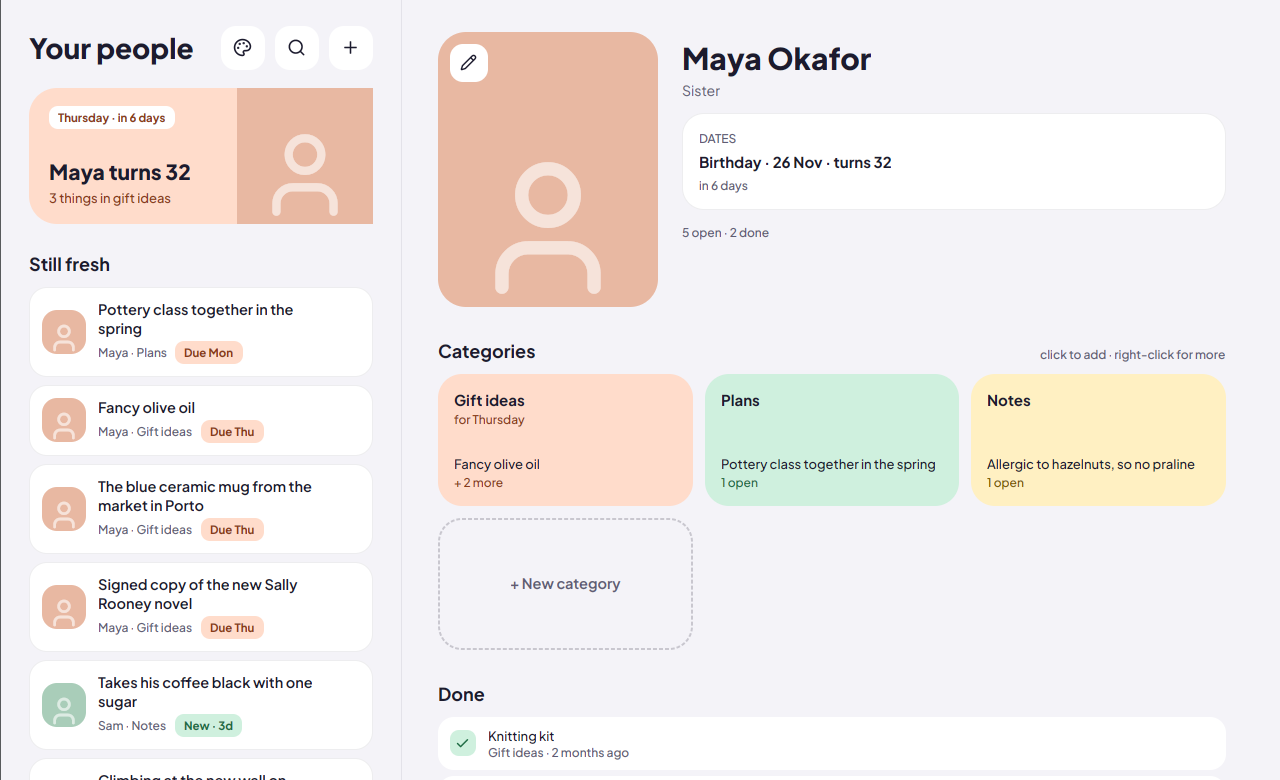
Add the people you care about. Each of them gets a few categories. When something comes up, it goes in the right one.
Ideas that know when they're needed
Gift ideas build up to the person's birthday. Make a category for an anniversary or a trip and it builds up to that date instead, just once or every year.
Still fresh
The front page shows what you added in the last couple of weeks, and anything with a date coming up, soonest first. Tap one and you're straight in the right list.
Categories are per person
Everyone starts with Gift ideas, Plans and Notes. Add Books for one friend, Recipes for another. Rename or reorder them whenever you like.
Hit or miss
When an idea has been used, mark how it went. Next year you'll know the candle was a miss.
Five colour schemes
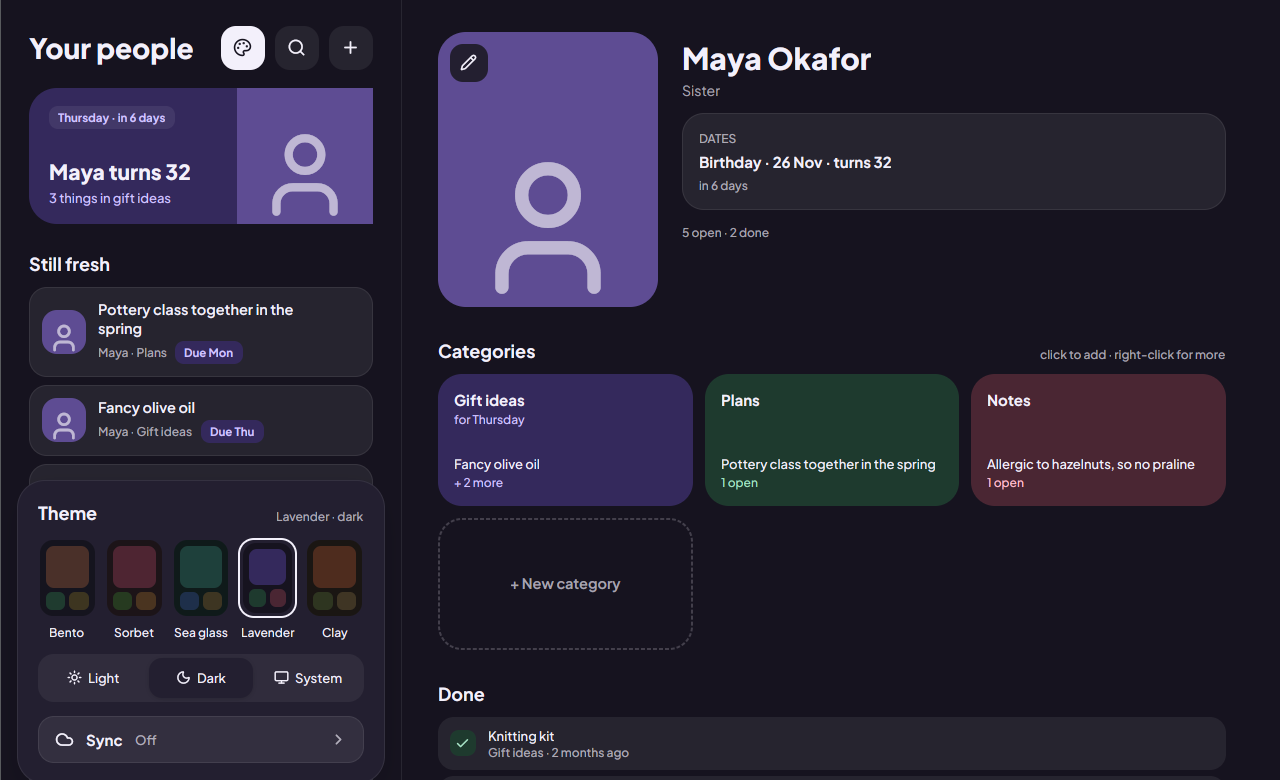
Bento, Sorbet, Sea glass, Lavender and Clay, each in light and dark.
Your phone and your computer, in step
Turn on sync and pick your Google account. Everything is encrypted on your device before it leaves, and kept in a hidden folder in your own Google Drive that only Your Memi can open. To add a computer, scan the code it shows with your phone. We never see any of it, because there's nothing of ours in between.
No account
There's nothing to sign up for. Sync is optional and uses the Google account you already have.
What it isn't
It's deliberately small.
Not a contact list
There's no field for addresses or phone numbers. It's for the useful, specific things: what they'd like, what you've planned, what to avoid.
Not a stand-in for the friendship
It won't nudge you to message people or score how often you talk. It just remembers what you tell it, so you can show up with the right thing.
Download
Free, open source, and the same app everywhere. The newest version is always on the releases page.
Android
Phones and tablets, Android 8 and newer.
Download the APK .apk
Obtainium installs updates straight from our GitHub releases. Don't have it? Get it from obtainium.imranr.dev, then tap the badge again.
Windows
Windows 10 and 11. The installer updates itself in place when you install a newer one.
Download the installer .msiThe installer isn't code-signed. If Windows says it protected your PC, choose More info, then Run anyway. Smart App Control, if you have it switched on, blocks unsigned installers completely.
Linux
Most distributions, on X11 or Wayland. Updaters like Gear Lever keep the AppImage up to date.
Download the AppImage x86_64